Cable and QR
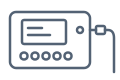
Listens by cable, speaks by QR: a Raspberry Pi Pico, a small screen and five buttons. PROFILE-CABLE-QR
Better on a computer or a tablet: it barely fits here.
Runs on an online computer: for real funds, build the signer.
First time? Try this
- On the signer, press OK until “Load seed”. In the wallet, 🌱 Seed.
- Type on the signer the PIN the wallet shows, and check the fingerprint.
- On the signer, “Sign PSBT”. In the wallet, ₿ Pay. Check on the signer what the wallet shows, then hold OK.
- In the wallet, 📷 Scan the QR the signer shows.
Charger
USB 5VDTMF-Signer
5V QR IN · COM
LED
- Account
- test (public)
- Fingerprint
- 73c5da0a
- PIN
- 1234
- Network
- mainnet ⚠
Microphone of this computer ◂ speaker of your device
The camera of your device
Tones: the ur-tones web tool Scan: a compatible wallet, e.g. Nunchuk
Only for trying it out: this build is meant to be used with an audio cable.
Loading the firmware…
- power
- audio by cable
- light (QR → camera)
- Charger, USB 5 V → 5V of the signer
- Signer's screen, QR codes → the wallet's camera
- Wallet's headphone output, tones by cable → IN and COM of the signer (your own device: its speaker, heard by this computer's microphone)
The signer's echo (public data only)
The firmware in this simulator was built from commit 8f380ea, like the rest of this site.